TOOL / DRILL & JOIN
Drill/driver
Drill controlled holes and drive compatible furniture fasteners.
By GrainBench · Reviewed October 22, 2026
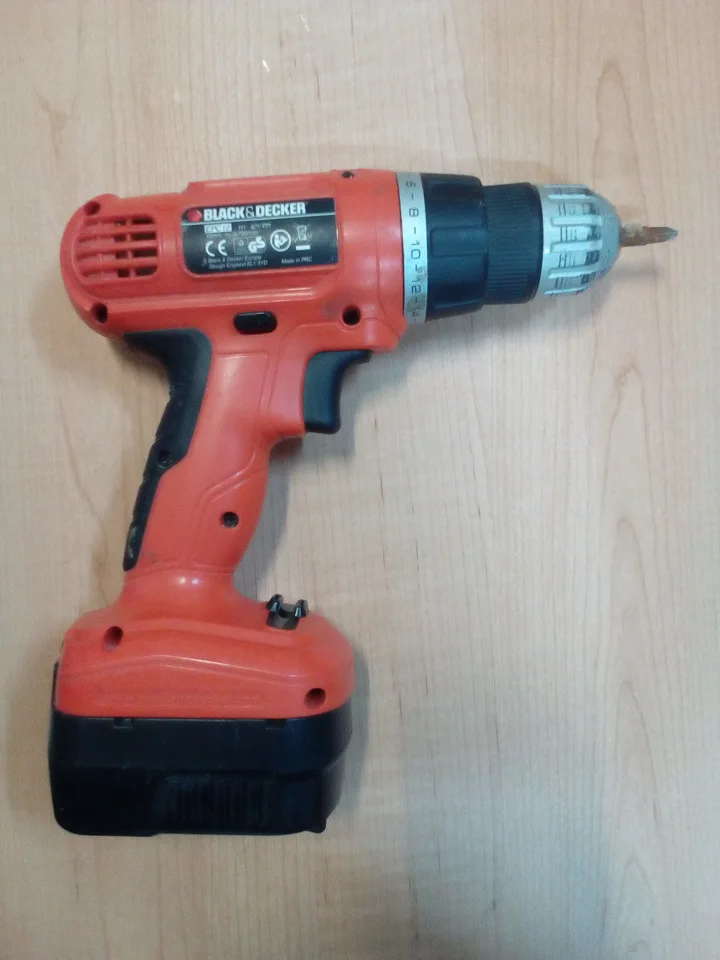
“Cordless electric (screw) drill” by Fructibus / Wikimedia Commons · CC0 1.0. Resized, orientation corrected and converted to WebP; the photo retains its stated license. Identification example, not a product endorsement.
_drill.jpg)
Jump to a section
When it earns a place in your kit
The main powered tool for shelf-pin and connector-pin holes. An impact driver is not a substitute for the controlled drilling operation shown in these plans.
What to check before choosing
- Check that the chuck accepts the specified bit or jig accessory.
- Choose controllable speed and a comfortable grip; check the exact model’s capacity and instructions.
A practical setup sequence
Disconnect power before changing accessories. Fit the correct bit securely and prepare a clamped workpiece.
Set up the jig and depth stop on matching scrap first. Check diameter, depth and the entry face against the plan.
Drill with the jig fully seated. Stop the bit before moving the guide; inspect a test hole before repeating the operation.
A common mistake to avoid
Holding a small panel by hand allows it to turn or move as the bit catches.
Use it with
Sources and scope
References checked October 22, 2026. Named-product instructions illustrate the category and do not establish compatibility with every tool. Use the exact model’s instructions for capacity, settings, guarding and protection. No independent product testing or load rating is claimed.
Browse the equipment library → · Read project planning guides →